How do I ORDER packages?
- Shop anything in the online store. If a friend or acquaintance is picking up your package for you, skip to step 3.
- When ordering select delivery option “1st preference / Picapac parcel locker” (in this case, delivery is charged at the parcel locker rate). If this option is not available, select the nearest Omniva parcel locker and your package will be automatically routed to your personal Picapac. Alternatively, you can choose courier service if you prefer another service provider.
- When a courier or another person delivering the package brings the package and locks the compartment, the owner immediately receives an SMS notificationwhich size compartment the package has been placed in (S, M, or L). Example message: “L. Delivery.”
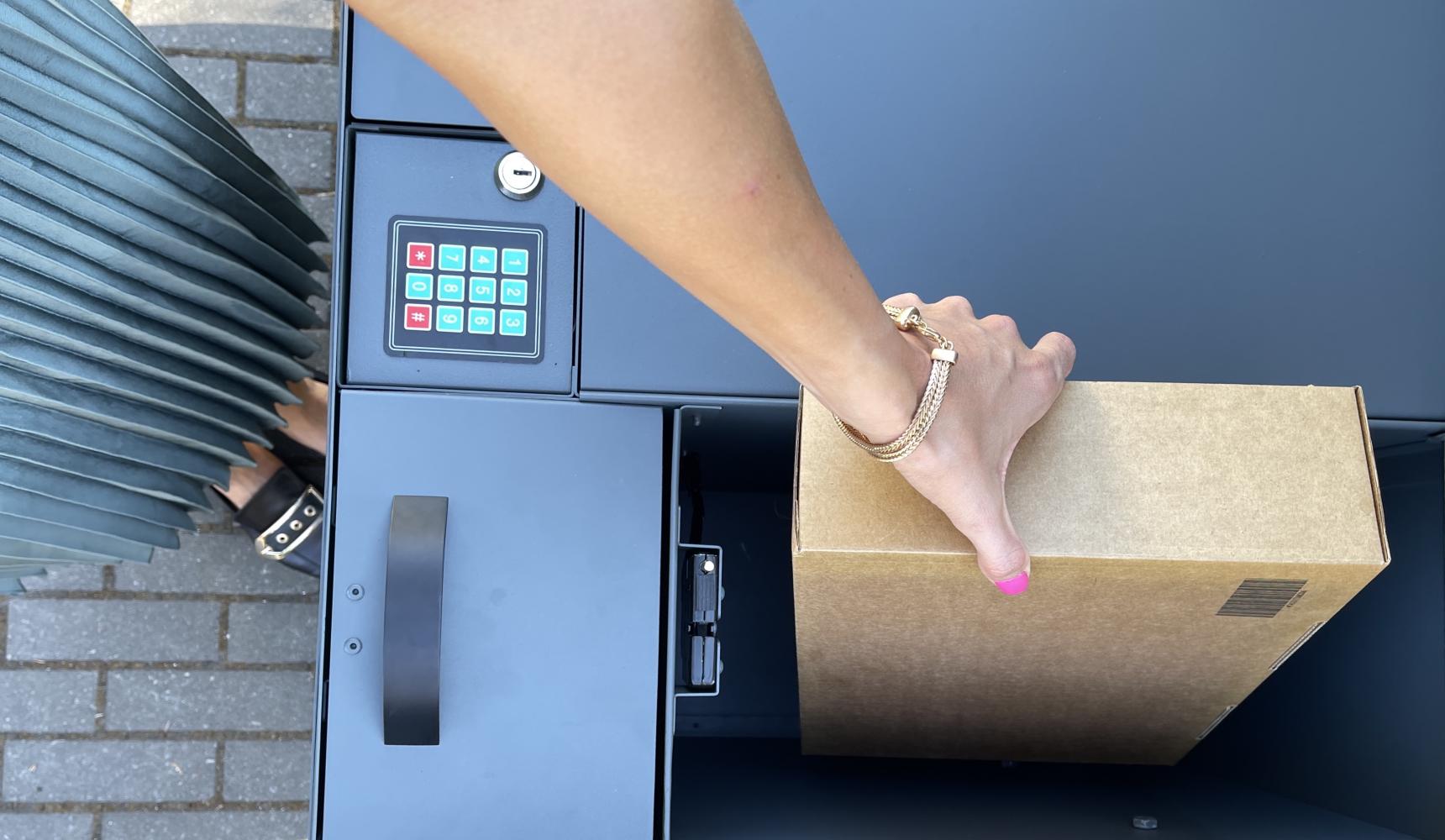
- To open the parcel locker compartment, enter your 4-digit PIN or send the message “Open” to the same number from which you received the Picapac arrival notification. Leave the compartment “open” so that couriers can add subsequent parcels to it!
For more information, read our blog post on: “How to use a Picapac parcel locker”.
How do I send a package?
- Sign in Omniva self-service portal Minu.omniva.ee.
- Select from the home page “Send a package”. If your phone number is linked to a Picapac kiosk, you will see Picapac.
- When registering your package for shipment , enter a 4-digit code, which you will later add to the Picapac field so that the courier can open the box; do not use your personal PIN code for shipping, but generate a new one. Read more here.
- After preparing your package in the Omniva self-service portal, place it in the Picapac compartment and configure the compartment using the same 4-digit code;
- The courier will pick up the package within two business days;
- PSST! When sending packages, it’s important to adhere to the dimensions displayed when creating the package in My Omniva. If the package exceeds the allowed dimensions, the Omniva courier is not obligated to pick it up.
For more information, read our blog post on: “How to send all your packages at the price of a parcel locker”.
How do I RETURN a package?
- Sign in to My Omniva or register as a user.
- On the home page, select “Return a package from my Picapac”.
- Fill in the fields: (1) In the “Parcel return code” field, enter the 6-digit return code you received via email or SMS, or the pre-printed parcel code that came with the package (e.g., About You or Asos). (2) In the “Picapac PIN code” field, enter the PIN you use to return the package via Picapac. Do not use your personal PIN code for shipping; instead, generate a new one. Read more here.
- The system generates a new code for returning the package.
- Attach the printed address label to the package or write the generated return code on the package.
- Insert the package in the appropriate Picapac field along with the PIN codeyou used when registering the package.
- The courier is coming pick up the package within two business days.
For more information, read our blog post on the topic: “Now you can return Omniva packages directly from Picapac”.
How do I add additional users?
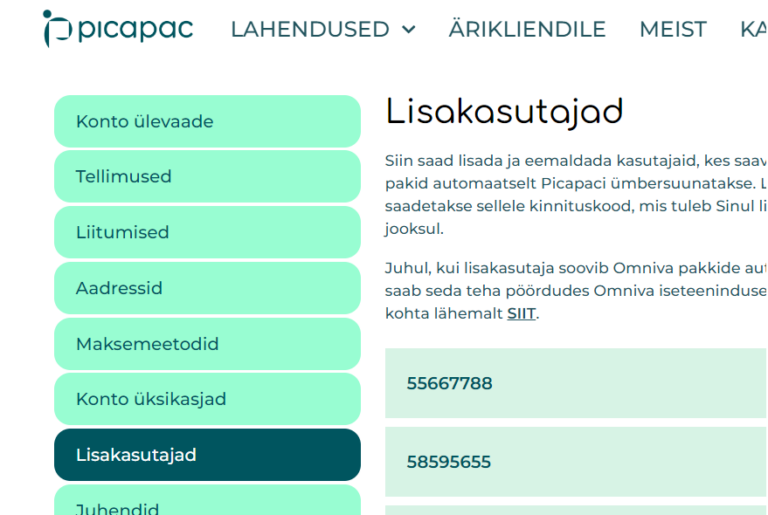
- If you’d like to share your parcel locker with your family members (you can add up to 5 additional users to the parcel locker), you can add users via the Picapaci self-service portal.
- Within three business days, the added users will be activated in your kiosk and in the Omniva system.
For more information, read our blog post on:“Share a parcel locker with your family members.”
If you encounter a technical issue with the parcel locker, please call the Forus Picapac helpline, available 24/7, at 6889988 or email klienditeenindus@picapac.ee.