
How to send a package from the Picapac community
This guide contains information on sending packages via a community/shared parcel locker.
CREATING A PACKAGE IN MY OMNIVA
In partnership with Omniva, you can send packages from Picapac at the same price as Omniva’s parcel locker service!
Note: If you already have a pre-registered package code (e.g., a Yaga package code), detailed instructions can be found below in the section titled“Handing over a package to the community/shared Picapaci.”
You can use the My Omniva portal to prepare your package. Read on for step-by-step instructions on how to send a package.
Please note: Since this is a new service, we are currently working on improving it; therefore, please read the following instructions very carefully.
Instructions for sending a package:
- Sign in My Omniva environment. If you don’t have a My Omniva account, please register as a user. When you add your phone number, the system will automatically detect that you have a Picapac multi-household parcel locker.
- When you log in on the homepage, Omniva will ask if you want your Picapac address to be used as the delivery address. Please select “Confirm.”
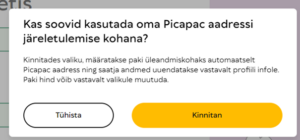

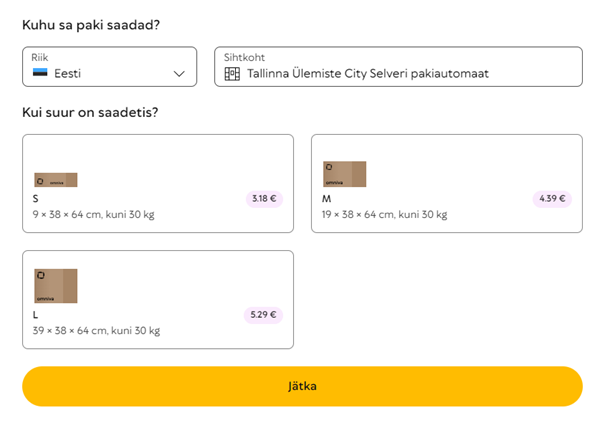
If you don't see the Picapac option, your number isn't linked to Picapac in the Omniva system. Please contact our customer service klienditeenindus@picapac.ee
- Click “Continue”
- You can now view the details of the prepared package. Complete the shipping process by selecting“Continue.”
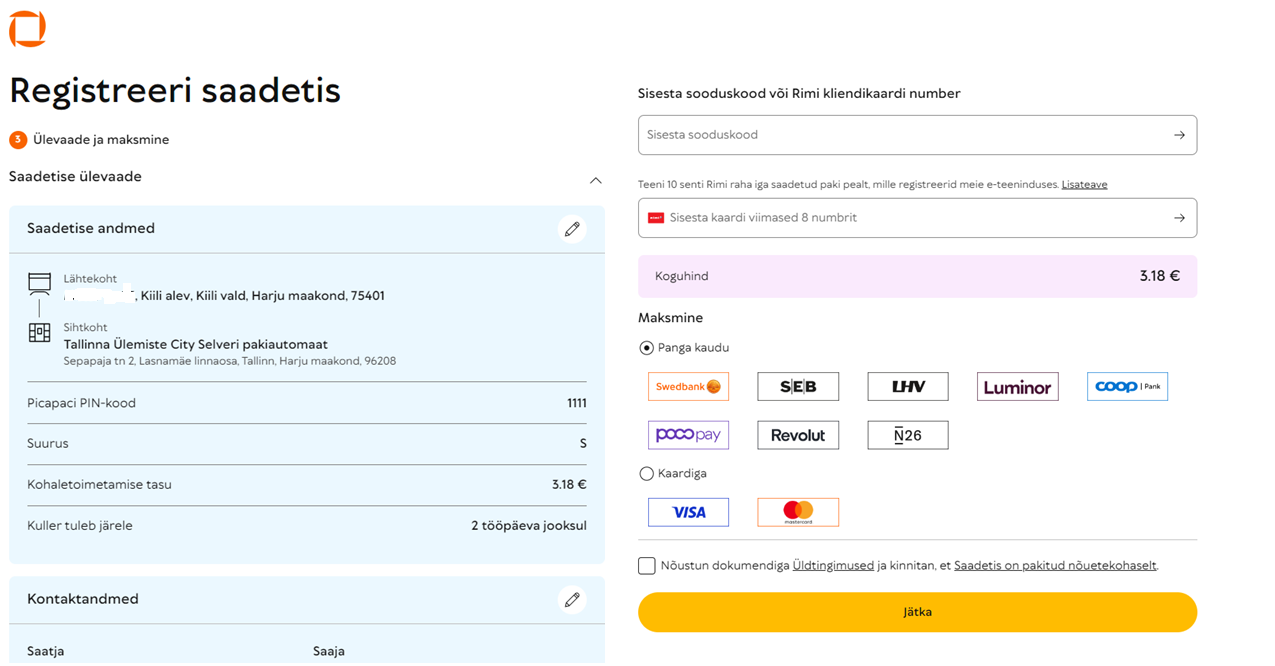
6. The package is ready! Please drop off the package at the Picapaci community center as soon as possible, as Omniva has been notified that the package is ready for pickup. The courier will pick up the package on the next business day!
Please note: You must attach an address label to the package or write the tracking number on it by hand.
TRANSFER OF THE PAKI COMMUNITY/SHARED PICAPACI
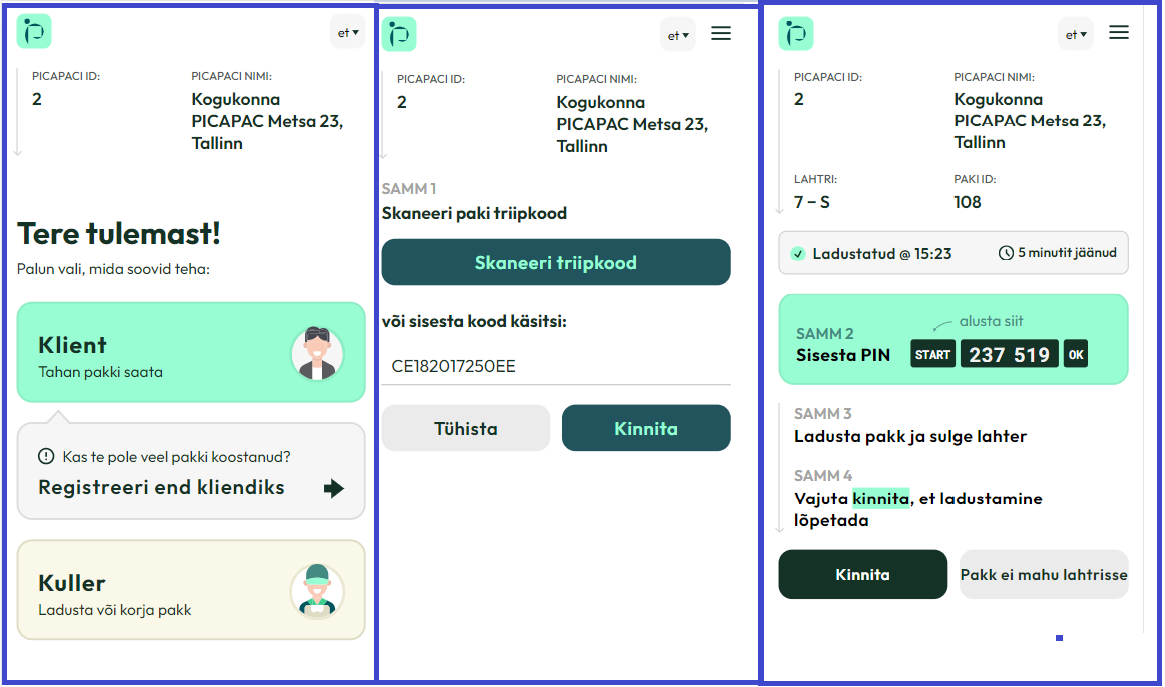
- Go to the parcel locker and scan the QR code on the machine.
- On the page that opens, select “customer”
- Scan the address label attached to the package or enter it manually (The sender's phone number must belong to either the user or an additional user)
- You will see the PIN code on the screen that appears. Enter the PIN code using the keypad on the machine, startingwith the Start buttonand ending with theOKbutton.
- Place the package in the open compartment and close the compartment.
- The package has been shipped!
TECHNICAL SUPPORT
If you encounter a technical issue with a shared parcel locker, please call the Picapac 24/7 helpline at6889988or emailklienditeenindus@picapac.ee.They can assist you over the phone and, if necessary, dispatch a service team.